2019 · Global child welfare organization
Survey builder tool for Nutrition tracking
A tool to rapidly build and publish surveys to communities worldwide, with two-way collaboration to verify collected data.
My Role
What I did
Background
A global data collection problem
The global child welfare organization collects data from all over the globe, every year about child welfare. They needed a tool to rapidly build said surveys, publish them to the communities providing the data. they also needed the capability of collaborating with these communities to verify the answers provided by them.
Challenges
Key constraints
Solution
Three surfaces, one connected system
For Building
Building a question bank, survey builders could just import the questions for a specific section. To do so all the past surveys were combined
Visually indicating the clusters of questions and saving them back to the bank as a group
Visual question visibility configurator
Restricting the type of answer for each question so as to collect data in its purest form
Capability to add hints in local languages using translators
For Answering
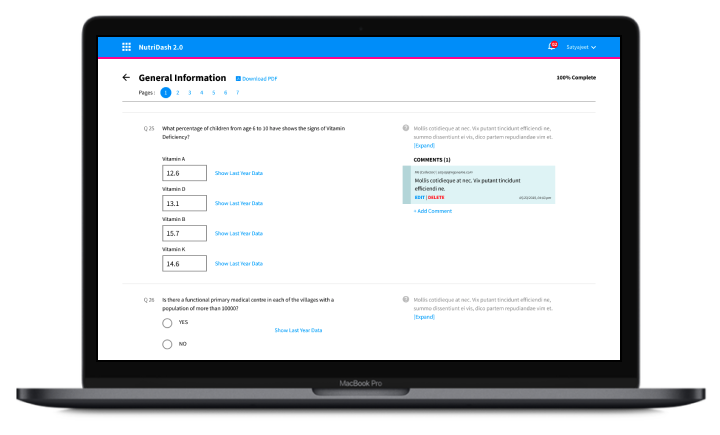
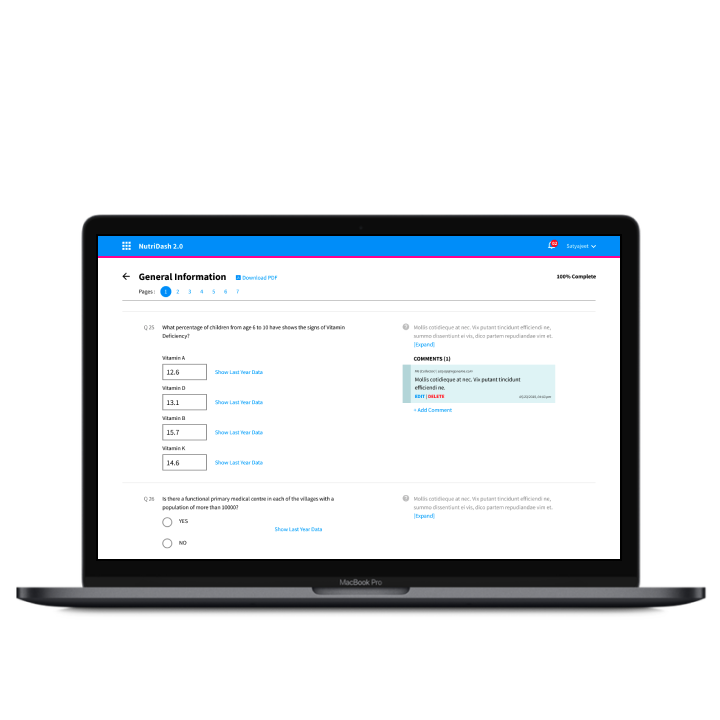
A two-column layout was proposed
On the left side, the data collector could see the questions, place to add an answer, inline validations, and past year data
On the right side, the collector could see hint texts, and the facility was given to add comments, which would be visible to the analyst in real-time
The responses from analysts could also be seen by the collectors in real-time
for simplicity, the colour codes were given to the user types
For Analysing
An inline comparator was built. If the data entered by the collecter is off by more than a certain percentage, the question was flagged immediately
A detailed list of all comments was made available to the collectors, analysts, and the admins
Analysts were given a dashboard to track the progress of the answered submitted as well as to show the count of flagged questions